
For players in Bangladesh, accessing Melbet on an Android phone can be more convenient than using a desktop browser. The platform offers sports betting and casino games through its mobile site and app, but availability, payment options, and local rules can change. This guide explains how to find the official Android download, check an APK before installing it, and use the casino responsibly. Always confirm that online gambling is legal for you and that you meet the platform’s age requirements before creating an account.
Melbet’s mobile experience is designed for browsing an account, viewing sports markets, and accessing casino sections from a phone. Depending on the version and the services available in your location, the app may include live events, slot games, table games, account tools, and cashier functions. The exact catalogue can differ by country and may change over time, so treat the app’s current interface and terms as the source of truth.
An APK is an Android installation package. In some regions, an operator may provide its app directly as an APK rather than through Google Play. This can be useful when an app is not listed in a particular store, but downloading an installation file outside Google Play calls for extra care. A familiar brand name in a filename is not proof that the file is authentic.
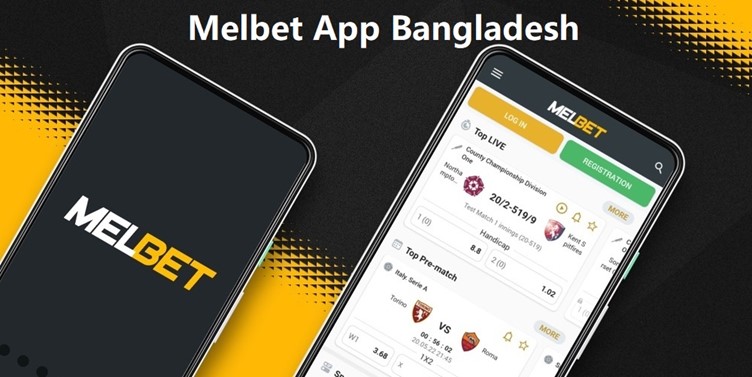
Open Melbet’s official website by typing its address yourself or using a verified bookmark. Avoid links in unsolicited messages, social-media comments, pop-up adverts, and unofficial download portals. Check that the site uses a secure connection and that its branding, domain, and support links are consistent. If the site redirects you unexpectedly or asks you to install additional software, stop and verify the page through an official support channel.
Look for the Android app or APK download option on the official site. Compare the displayed version information with any update notice provided there. Do not rely on search snippets or third-party claims that a particular file is the “latest” version: those details may be outdated or misleading. If the official site does not currently offer an APK for Bangladesh, do not try to bypass regional restrictions with a file from an unknown source.
Before downloading, make sure your phone has sufficient free storage and is running a supported Android version. Read the requested permissions during installation. A betting app may reasonably need network access, but requests unrelated to its functions deserve scrutiny. Keep Android’s security features enabled, and use the device’s built-in protection to scan downloads where available.
To install an APK, Android may ask you to allow installation from the browser or file manager that downloaded it. Grant that permission only when you are confident the file came from the official source. After installation, you can turn the permission off again in Settings. If the package name, publisher details, or app behaviour seem inconsistent, uninstall it and do not enter account credentials or payment information.
Once installed, use the app’s official registration or sign-in screen. Choose a unique password that you do not use for email, banking, or other services. Turn on any additional account security options offered, and never share one-time codes with someone claiming to be support. If you already have an account, check that the app displays your expected profile and that you can reach the official help section.
Payment availability depends on the operator, the account, and current local conditions. The cashier may display different methods at different times, along with minimums, limits, processing estimates, and verification requirements. Read those details before making a transaction. Do not send money to a personal account or an intermediary who promises to credit your balance, and do not assume that a method shown in an old advertisement is still supported.
Searches for bKash MelBet deposit often reflect a desire to use a familiar local payment service. Whether bKash is currently offered, and under what conditions, must be confirmed inside the official cashier or with verified support. Check the recipient details, fees, deposit limits, and withdrawal rules before proceeding. Never disclose your bKash PIN, password, or verification code to a third party. Keep transaction receipts and contact support through the app or official site if a payment is delayed.
Promotions can change by region and account type. Before opting in, read the full terms rather than relying on a headline bonus amount. Pay particular attention to wagering requirements, eligible games, maximum bet limits, expiry dates, withdrawal restrictions, and whether a deposit is required. A bonus is not cash you can necessarily withdraw immediately, and accepting one may alter how winnings are treated.
Casino games are entertainment with financial risk, not a reliable source of income. Slots and other games may use random outcomes, and previous results do not predict future ones. Set a spending limit before playing and use only money you can afford to lose. Consider setting time limits as well; taking breaks makes it easier to keep play in perspective. If gambling stops being enjoyable or affects your finances, pause and seek appropriate support.
Not automatically. An APK from a verified official source may be legitimate, but installing files from outside a trusted store carries additional risk. Check the source, permissions, and version, and avoid modified or “unlocked” packages. If you cannot establish that the file is official, do not install it.
Check that your Android version is supported, that there is enough storage, and that the file completed downloading. Remove a damaged download and return to the official page for a fresh copy. Do not disable security protections broadly or install a different package from an unknown website to work around the problem. Official support can advise whether the app is currently available for your device or location.
Update options depend on how the app was installed. If it came from a store, check that store for updates. If it was installed from an APK, revisit the official download page and compare version details. Avoid update links sent by strangers, and do not install a supposed update that requests unusual permissions or asks you to enter payment credentials outside the normal app experience.
Do not immediately send another payment. Save the transaction reference, amount, time, and any confirmation message, then contact official support through a verified channel; Never provide your PIN or one-time password. The operator or payment provider may need time to investigate, and processing estimates can vary.
Before using Melbet on Android, confirm that the service and the activity are lawful for you in Bangladesh and that you satisfy the applicable age requirement. Download only through the operator’s verified channel, inspect permissions, and protect your account with a unique password. Confirm payment methods and terms directly in the cashier rather than relying on old guides. Finally, approach casino play as optional entertainment: establish firm limits, avoid chasing losses, and stop if the experience becomes stressful.